MnemoResto
A whole restaurant workspace, as one cartridge: the service dashboard, the floor plan, reservations, a guest CRM with loyalty, servers and tips, the menu with combos and per-item VAT, stock, the register and invoicing. It is free on MnemoHub, it runs on your machine, and its promise is in its tagline: the restaurant that never forgets a guest.
The screens on this page come from the cartridge's own demo dataset, which you can load in one click and wipe in another.
Start with the demo
On first launch the dashboard offers Load demo data, and Settings keeps the same button next to delete everything and a JSON backup. The demo is a small service already in progress: seven tables, three guests, a week of takings, a menu with combos. Nothing about it is special, so anything you try on it works the same on a real service.
The night at a glance
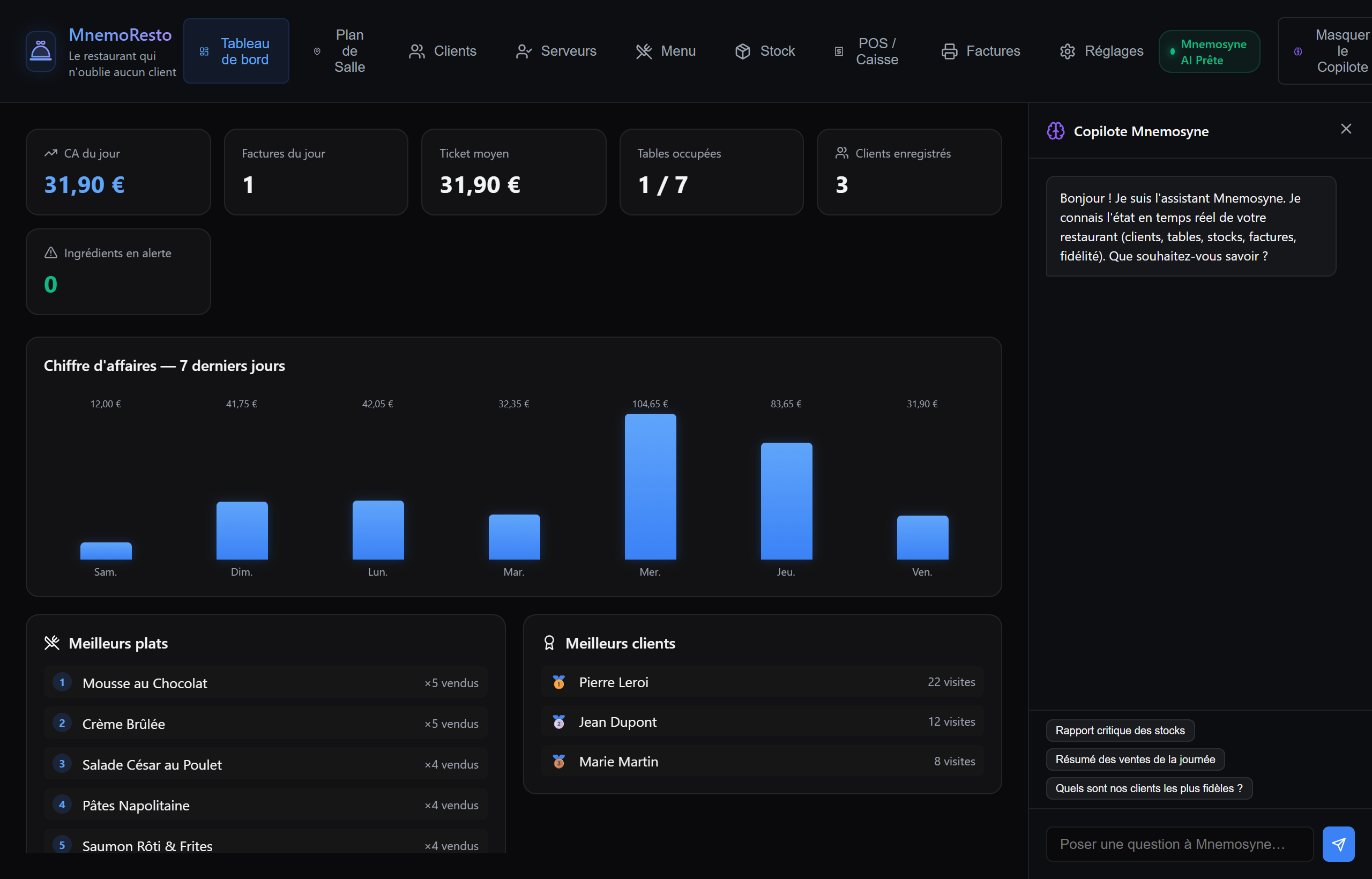
Takings today, invoices, average ticket, occupied tables, registered guests and ingredients under their alert threshold, then the last seven days as a chart, the best-selling dishes, the most frequent guests, and the stock alerts.
The floor plan
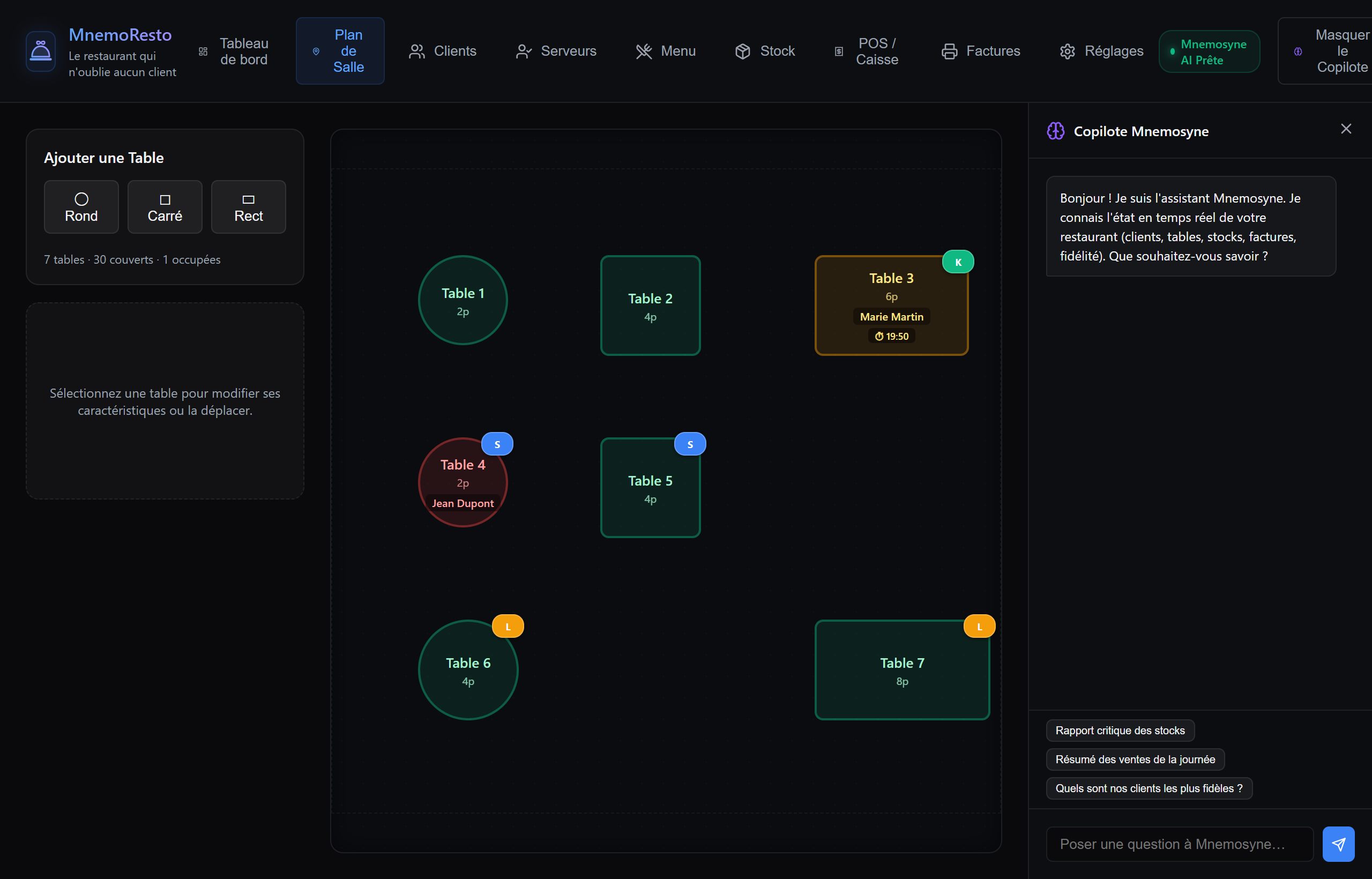
Lay the room out with round, square or rectangular tables, then seat guests on it. A table carries its live state: free, seated, or reserved with a countdown to the booking (and a late badge once it passes). One guest is one table, so moving a booking proposes the swap rather than double-booking the room, and the server assigned to a table shows as coloured initials.
The guest CRM, where the promise lives
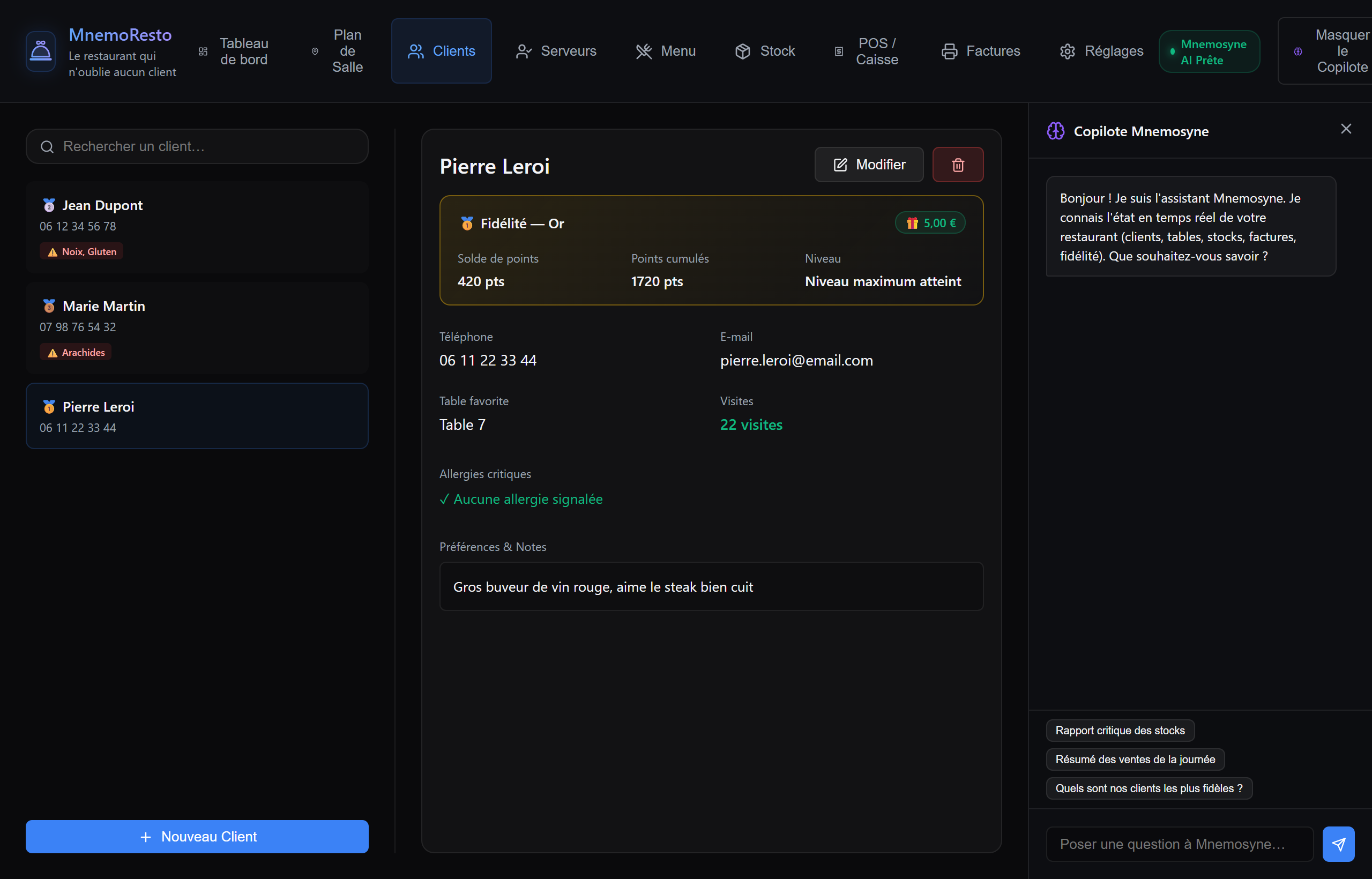
This is the part that earns the tagline. Each guest keeps a card: contact, favourite table, visit count, critical allergies shown as a red badge straight in the list, free-text preferences, and a loyalty balance with its tier and the reward it is worth right now. The card above reads Gold, 420 points, 1720 lifetime, maximum tier reached next to €5.00 of reward, and the note under it is the kind of thing a room forgets and a memory does not: likes red wine, steak well done.
The register
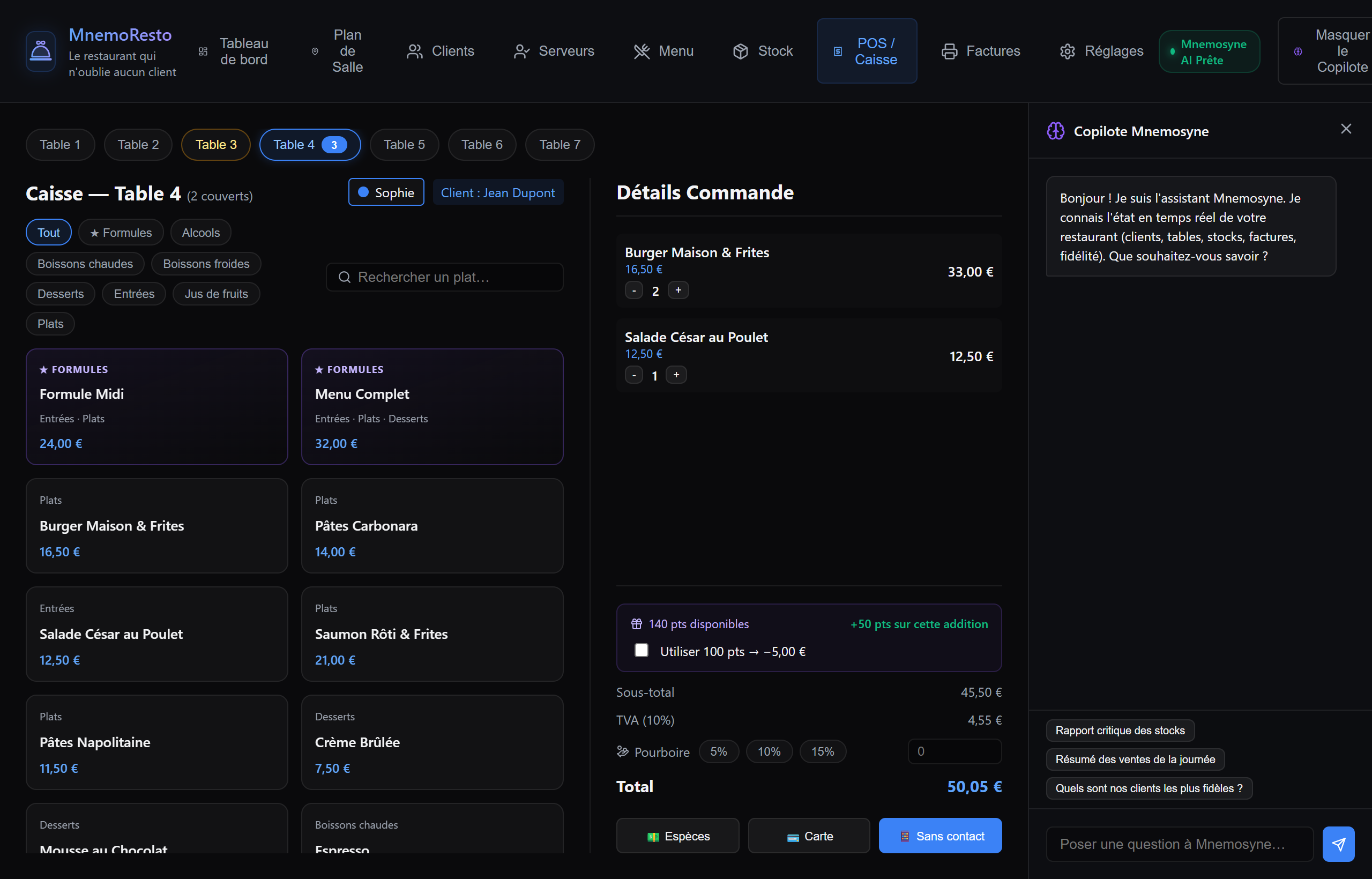
The POS shows every table in a strip at the top with its item count, so you switch orders without going back to the plan. Below: category chips and a search, the set menus priced as a whole, and the dishes. On the right the order builds up, with the loyalty line offering to redeem points against this bill, the VAT broken out per rate, a tip at 5, 10 or 15% or free entry, and cash, card or contactless to close it.
Menu, stock, servers, invoices
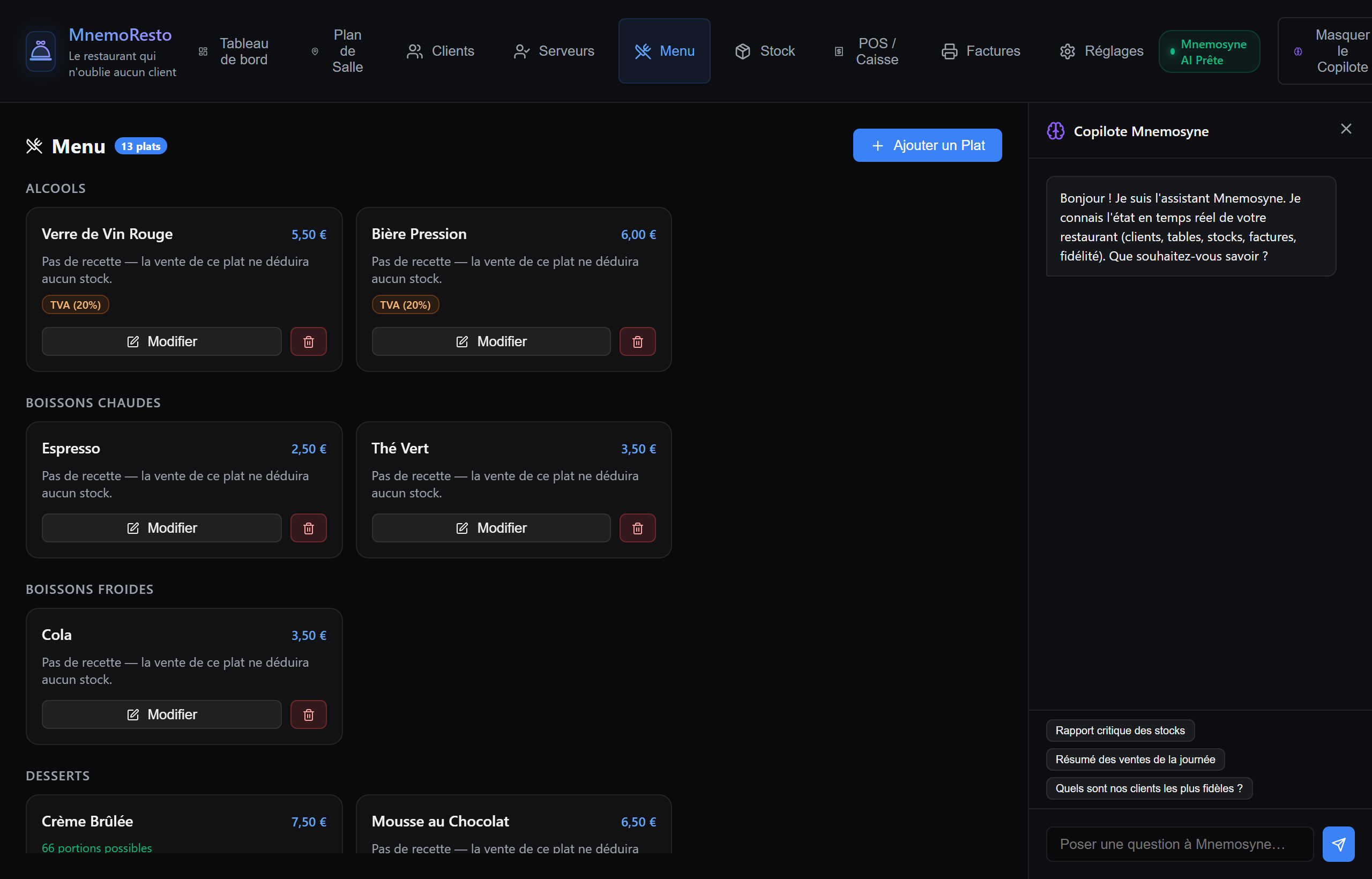
The menu holds the dishes, their categories, the combos, and a VAT rate per item (empty means the default from Settings), and a dish with a recipe shows how many servings the stock still allows. Stock itself is ingredient cards with quantity, unit, alert threshold and the number of dishes that depend on them.
Servers get their own tab: tips, revenue served, average tip per bill, assigned tables, and a ranking over today, seven days or everything. Invoices keep the history, filterable by date and payment method, each one printable, with a CSV export for the accountant.
What it puts into your memory, and what it keeps to itself
MnemoResto writes to its own app vault, a walled-off APP-… sandbox the
host creates for it. Only the guest layer goes there: one contact chronicle
per guest (name, phone, favourite table, visits, loyalty tier) and one note
carrying allergies and preferences. Tables, stock and invoices stay
operational data inside the cartridge, because they are not what you will ask
your memory about six months later.
That is what makes the copilot in the right-hand panel useful: it answers from the live state of the service, and Mnemosyne OS can recall a guest's allergy long after the evening it was written down.
Delete everything in Settings clears the cartridge's own data. It does not touch the chronicles already anchored in the app vault: removing those is a human act, in the Vault Pad.
The language follows the OS
The interface is EN, FR and ES, and it follows the language of Mnemosyne OS without being asked. Settings can pin it to one language if you would rather the room always read the same.