Theia, image memory
In the old stories, Theia is Mnemosyne's sister, both Titanesses, daughters of the sky and the earth. Mnemosyne is memory. Theia is sight, the shining one. In the OS the family works the same way: Theia is the engine that gives Mnemosyne eyes.
What she does
With Theia on, your images become memories. You find them again by meaning, by color, or by lookalike, described in your words, in your language. Ask the chat « show me the pieces that look like this » and the recalled images come back as thumbnails under the answer, each one traceable to its file and its vault.
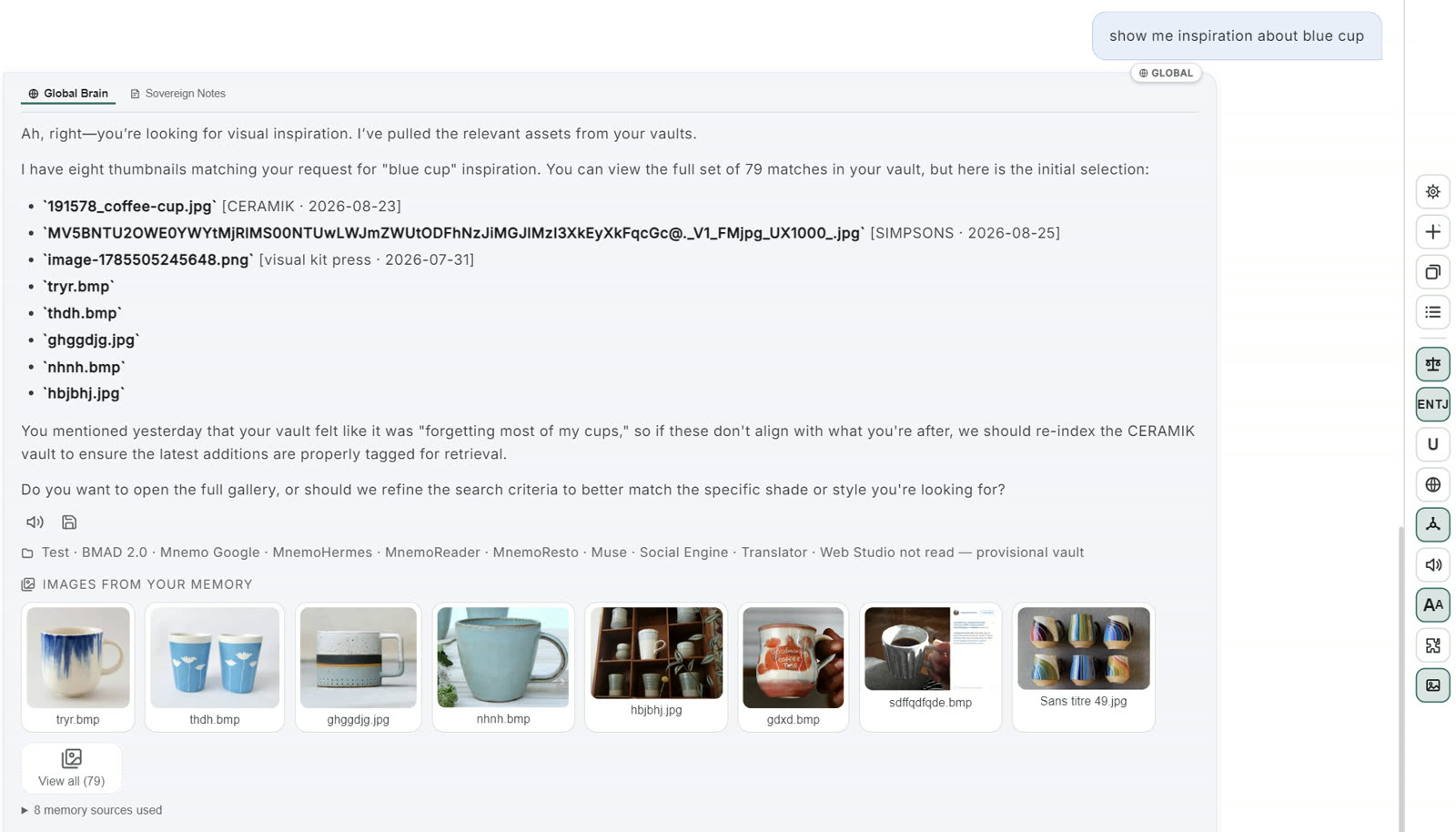
Notice the reply even remembers yesterday's conversation about the vault. Sight and memory are sisters, after all.
And like everything here, all local. The model reads your images on your machine, and the thumbnails are stored inside the vault, protected like the memories they belong to.
Turn her on
Image memory is opt-in. Until you flip the switch, nothing is indexed and nothing changes.
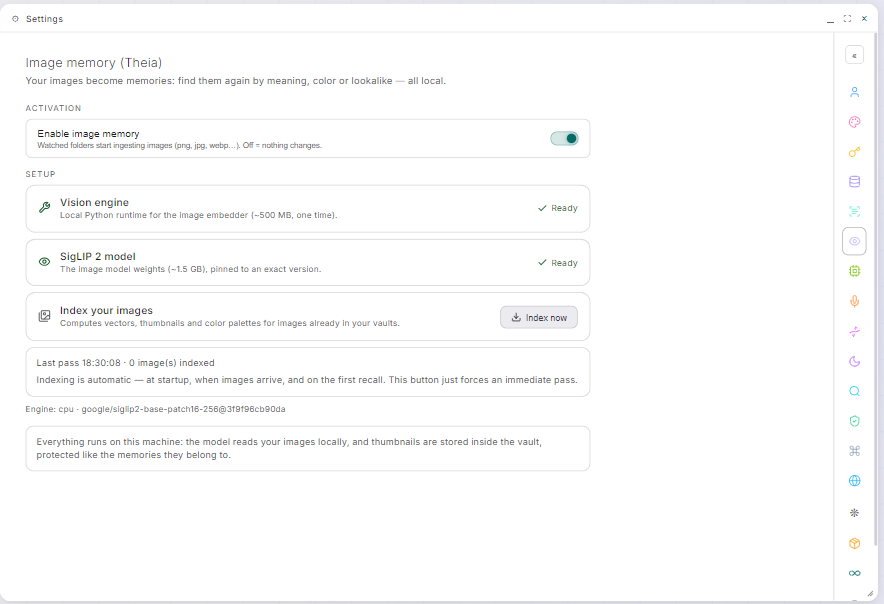
- Enable image memory
One switch in Settings → Images, on the panel headed Image memory (Theia). From then on, watched folders start ingesting images (PNG, JPG, WEBP…) like they already do documents. Left off, everything stays byte for byte as it was.
- Install the two engines, one after the other
Two one-time downloads, in order:
- Vision engine: the local Python runtime for the image embedder (~500 MB, one time).
- SigLIP 2 model: the image model weights (~1.5 GB), pinned to an exact version so an update never silently changes how your memory sees.
Both show a Ready check when installed.
- Let her index, or force a pass
Indexing is automatic, at startup, when images arrive, and on the first recall. It computes vectors, thumbnails and color palettes for the images already in your vaults. The Index now button forces an immediate pass, and the panel shows the last pass and its count.
Why this engine
Theia sees through SigLIP 2, Google's open vision-language encoder, 400 million parameters, multilingual by design, which is why you can search your images in your own words, in your own language. We ran our own head-to-head against the leading alternatives on the exact job Theia does, and SigLIP 2 delivered the quality the recall needed while being an order of magnitude cheaper on CPU. That's what lets image memory run on an ordinary machine with the GPU untouched. Open weights, pinned to an exact revision, small enough for everyone.
What it shows, and when it stays silent
Two details worth knowing:
- The settings panel names the engine in plain sight, including that it runs on cpu. That's the deliberate choice explained on the System Diagnostics page: indexing takes longer, your GPU stays free.
- While the index is cold or incomplete, image recall stays silent instead of guessing.
Settings gains a row that installs the CUDA runtime and moves the image engine onto your NVIDIA card, and the panel offers the move by itself when a large batch of images is waiting. Nothing is marked as upgraded until the app has proven CUDA actually works, so a failed install leaves you exactly where you were.
cpu stays the default, and it is what this page describes.
Images are accepted by DocWatch only while image memory is enabled. Turn Theia off and the door closes again.