Your first conversation
The chat is the front door of Mnemosyne OS, and it remembers by default. Here is your first exchange, and every dial around it.
- Set the scope of its memory
Top left of the chat, the scope selector decides what the AI can recall while answering: All (your whole memory), Vault (one vault only), or Off (a plain conversation, no memory).
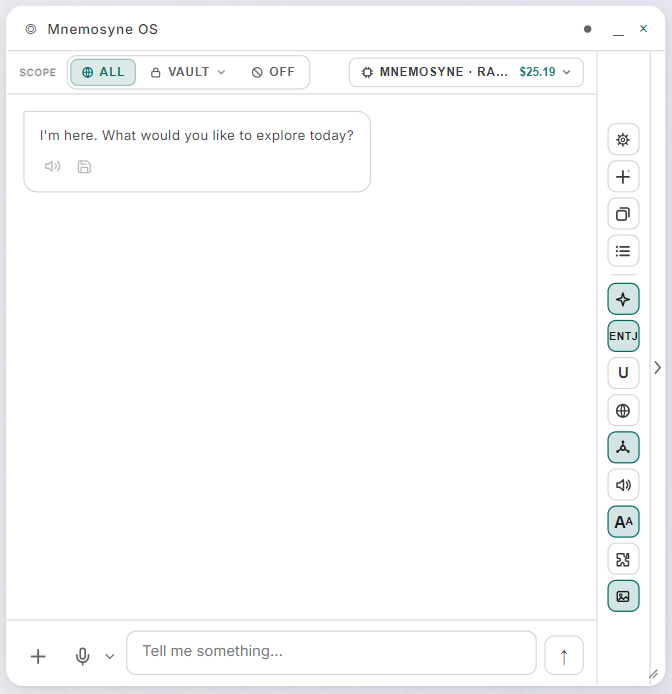
The right rail holds the chat's tools: options, new conversation, persona, voice, text size… You'll meet them as you go.
- If no intelligence is configured yet
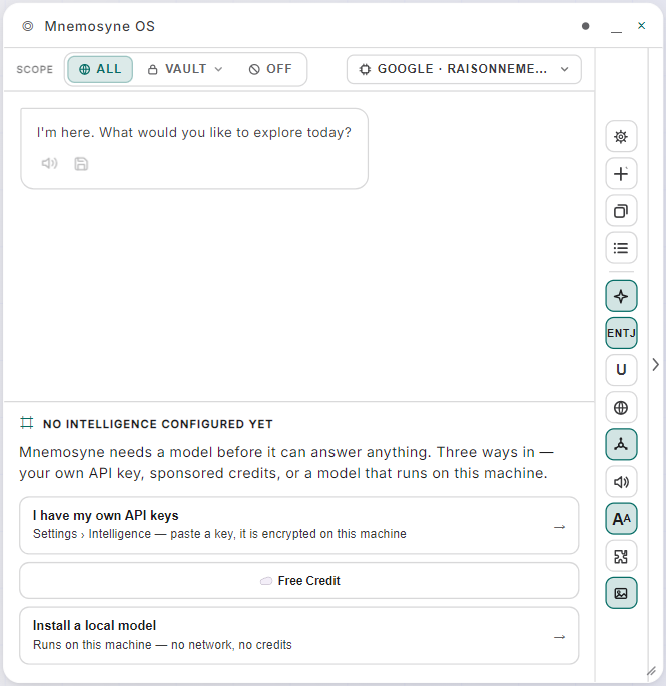
A chat without a model tells you so, and offers the three ways in: your own API key (pasted in Settings → AI & Models, encrypted on this machine), free credits, or a local model.
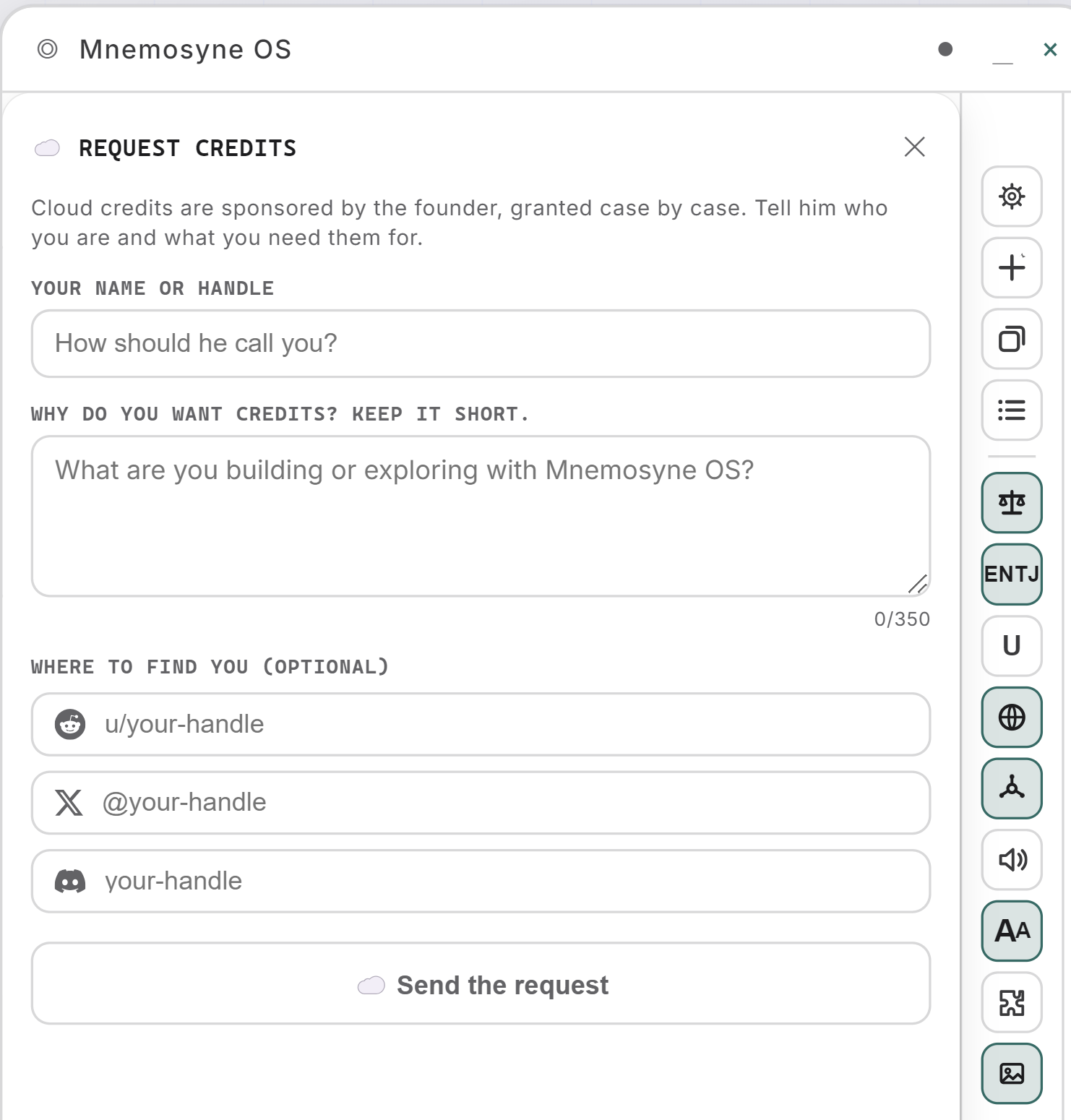
Pick Free Credit and a short form opens. Cloud credits are sponsored by the founder and granted case by case, so say who you are, what you're building or exploring, and where to find you if you like:
Once granted, the balance appears next to the model's name in the pill at the top of the chat. The fastest way to get unlocked: join the Discord and say hi after sending the request. The founder is there.
Not sure which route to pick? The route-per-machine table has the answer.
- Say something, or hand it something
Type, or hold the mic and talk. The + button attaches media to this conversation: an image, a document (PDF, DOCX, MD…), or a short video clip. Video analysis needs a Gemini or Vertex route and stays greyed out until you have one.
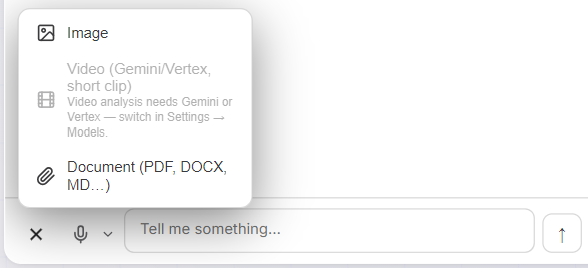
An attachment belongs to this conversation and stays out of your memory. To memorize something, use a vault's watched folder or web capture.
- Pick the brain, per message
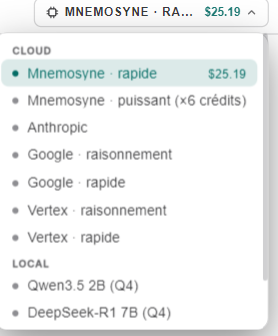
The pill at the top right is the model switcher. Cloud routes sit on top, and each says what it costs you: the fast Mnemosyne OS route shows your remaining balance, and the powerful one says uses ×6 credit on its line, because one message on it spends six times what the fast one spends. Local models sit below, free to run. Switch anytime, mid-conversation.
- Local models check the memory first
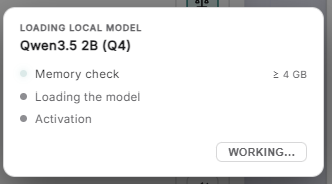
Pick a local model and the OS walks through a memory check, then loading, then activation:
And if your machine can't hold it, it says so with the numbers instead of freezing your computer:
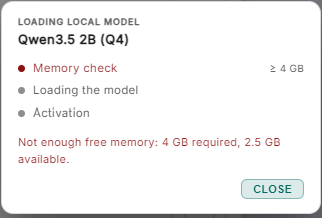
That's the route-per-machine guidance enforced live.
- Tune how it thinks
The gear opens the conversation's dials:
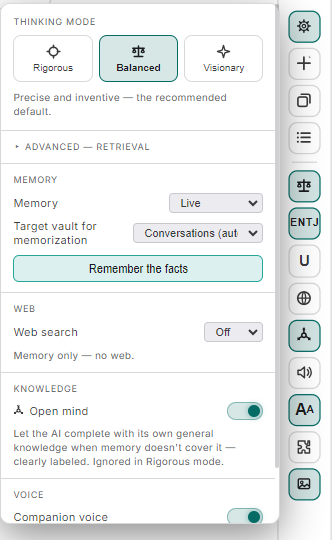
- Thinking mode: how strictly it reasons. Rigorous sticks to what your memory proves, Balanced is precise and inventive (the recommended default), Visionary roams further.
- Memory: Live by default, so facts worth keeping flow into your conversations vault as you talk. Remember the facts forces a pass right now, and you choose the target vault.
- Web search: Off by default, memory only. Your call to open it.
- Open mind: by default, the AI answers from your memory. With Open mind on, when your memory doesn't cover a question it may complete with its own general knowledge, clearly labeled, so you always see what came from your vaults and what came from the model. Rigorous mode ignores it entirely: rigorous means memory only.
- Companion voice: read replies aloud.
- Give it a lens, the MBTI persona
The small badge in the right rail (❋ when off) is the cognitive lens: pick one of the sixteen MBTI archetypes and the AI adopts that manner of thinking for its answers. ENTJ is direct and structuring, INTP precise and abstract, INFP gentle and poetic, ENFP enthusiastic and full of unexpected connections…
A lens changes the voice, not the memory: what the AI recalls stays exactly the same, and only how it approaches and phrases the answer moves. Switch it as often as you like, per task or per mood, or leave it off.
Where this leads
What you just used (recall, live memorization, refusals that give the numbers) is the memory recall engine at work. And when you find yourself repeating the same gesture in chat, teach it once as a skill.