Your first vault
A vault is one life domain of your memory, and your onboarding profiles already created some. Here's how to create one yourself, feed it, and stay in charge of it. The full picture of how vaults work lives on the Vaults page.
- Create the vault
Click + New Vault, name it, and pick a type: Dev, Research, Social, Personal, Creative, Dream, or Custom.
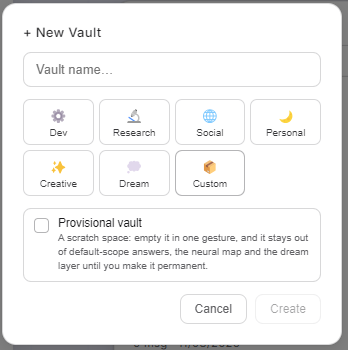
Notice the Provisional vault checkbox. It gives you a scratch space you can empty in one gesture. Until you make it permanent, it stays out of ordinary answers, out of the Neural Map and out of the dream layer, so an experiment you may not keep never colors the rest.
- Feed it a folder
A vault stays empty until a folder feeds it. Right after creation, the OS offers to attach one. Its files are read, cut into chronicles and vectorized right away, and again whenever they change.
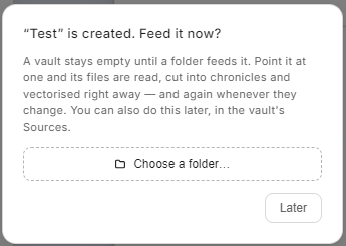
Later is a real option. You can attach the folder anytime from the vault's Sources.
- Its sources, at any time
In the vault's Sources section you see the watched folders, add new ones (Add a folder to watch…), and force a Rescan to make the vault re-read everything now.
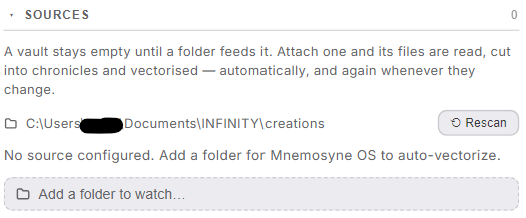
From here on, dropping a file into the watched folder is all it takes. The watcher ingests it. This is the same door web capture and every other entry route use.
- Tune how much it weighs
Open the vault's settings and you'll find its dials:
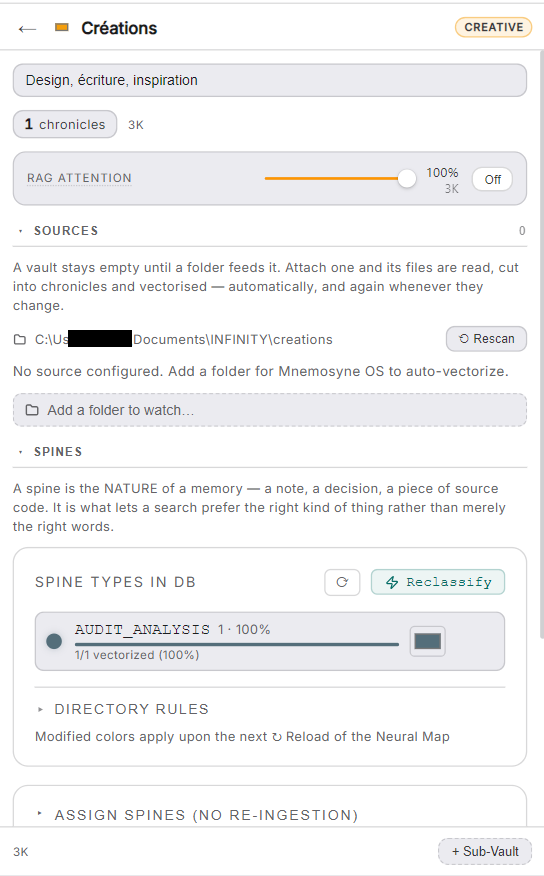
- RAG attention: how much recall listens to this vault when you ask questions, from 100% down to Off. A hobby vault can whisper while your work vault speaks.
- Spines: the nature of each memory (a note, a decision, a piece of source code…). The vault shows which spine types live in it, and can reclassify.
- Sub-vaults: carve a vault into finer domains when it grows.
- Govern it
The Governance section holds the two decisions that are always yours:
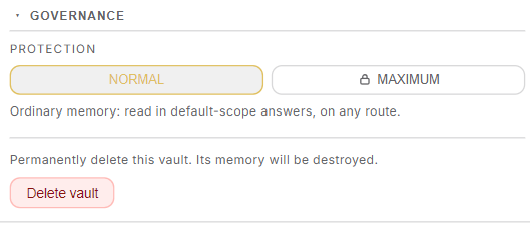
- Protection: Normal is ordinary memory, read in default-scope answers on any route. Maximum is for sensitive domains and stays out of ordinary answers. The Vaults page says exactly what it blocks.
- Delete vault: permanent, and clearly labeled as such. The OS never deletes memory silently.
Vaults that apps create
When a cartridge (an app) gets its own vault, it arrives walled off: excluded from Dream State consolidation, the Neural Map and federated recall. The app's data stays isolated until you validate it.
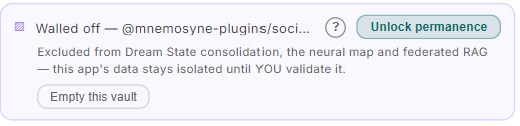
Unlock permanence is your gesture, not the app's. You can also empty the vault in one click. No app writes itself into your permanent memory without you.