Skills, the gestures you teach it
A skill is a gesture you teach once and reuse forever: a chain of steps the AI can perform from the chat. Two are built in, and you can compose your own without writing code.
The built-ins
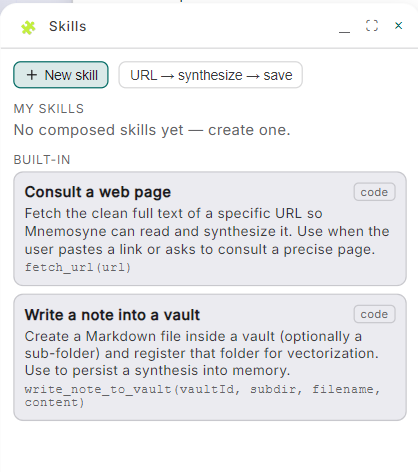
- Consult a web page: fetches the clean full text of a URL so the AI can read and synthesize it. Used when you paste a link or ask about a precise page.
- Write a note into a vault: creates a Markdown file inside a vault (optionally a sub-folder) and registers that folder for vectorization. This is how a synthesis gets persisted into memory.
Compose your own
+ New skill opens the composer: a title, inputs, and numbered steps that
chain into each other. Each step can use what the previous ones produced,
with {{inputs.x}} and {{steps.0.content}} placeholders.
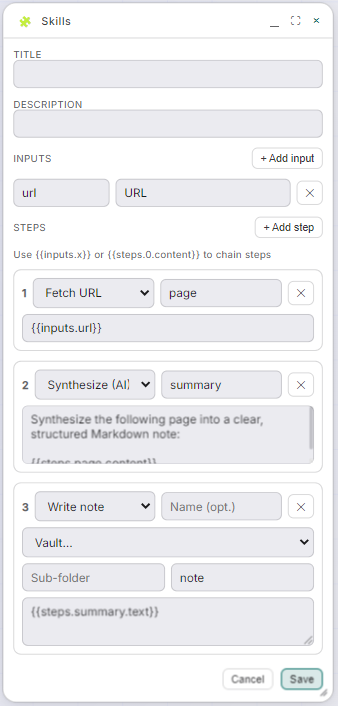
The template is three steps, URL → synthesize → save:
- Fetch URL reads the page from
{{inputs.url}} - Synthesize (AI) turns the page into a clear, structured Markdown note
- Write note saves it into the vault you choose
From then on, one gesture turns any article into a memory. Skills write into vaults through the same governed doors as everything else, so a skill can't reach what you haven't allowed.