Gallery
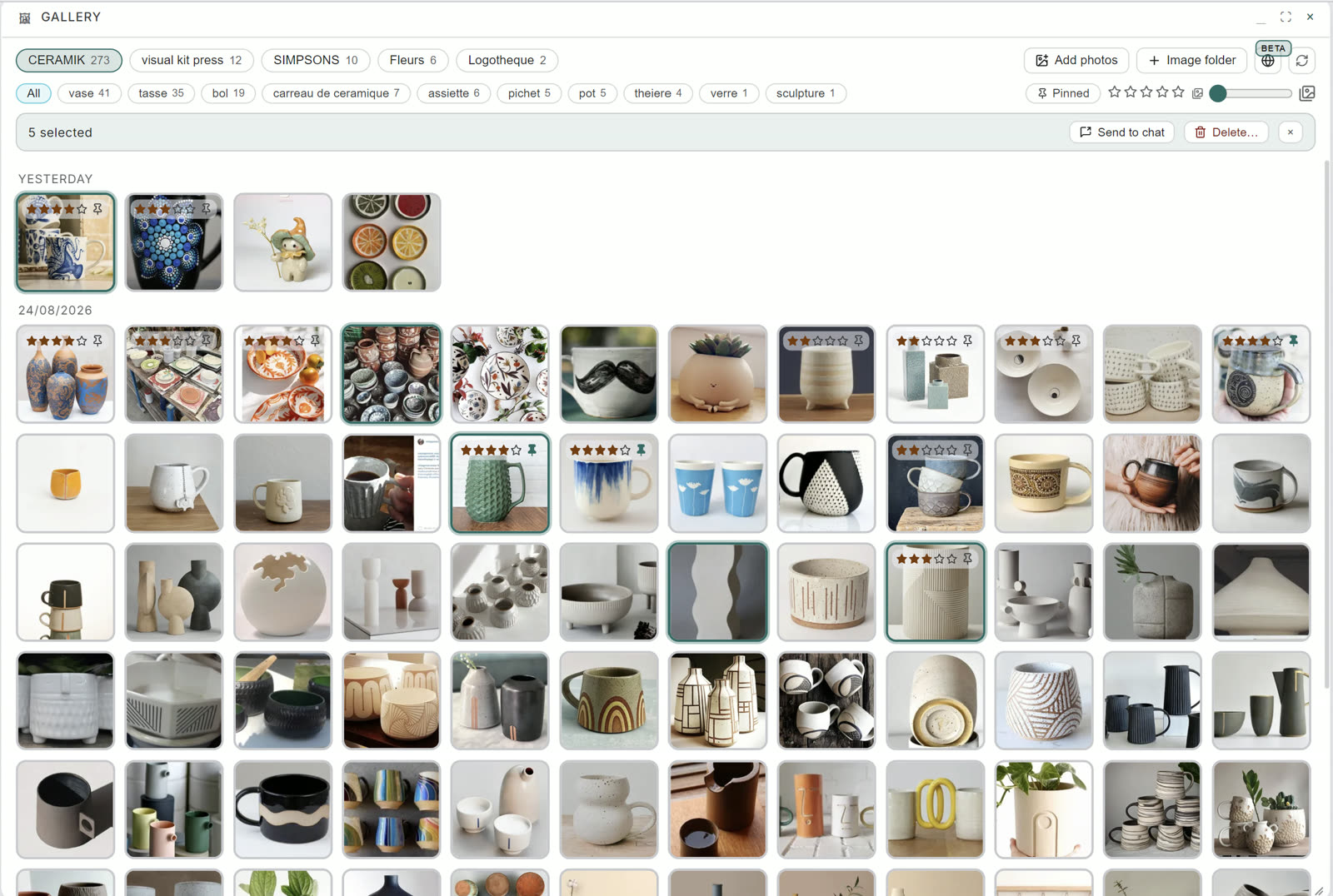
The Gallery is where your image memory becomes visible. Everything Theia has ingested, laid out as a living timeline, day by day:
Reading the shelves
- Vault pills: one pill per vault holding images, with its count. One click filters the whole gallery.
- Category pills: these categories are grown. The engine reads your images and files them by itself, vase 41, tasse 35, bol 19, assiette 6…:
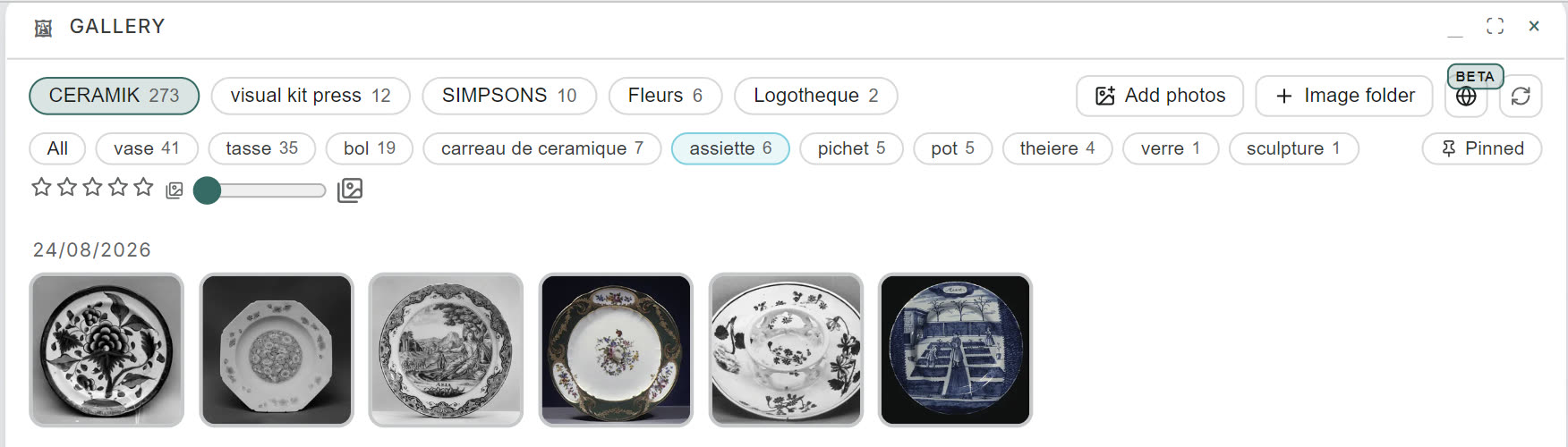
Six plates under « assiette », zero human action. Your collection files itself while you look away.
- The rest of the toolbar: filter by rating stars or pinned only, zoom the grid, and select images to Send to chat (they become attachments of a conversation) or delete.
Adding images by hand
Two buttons, two doors:
- Add photos: pick image files, they join your memory.
- Image folder: attach a whole folder at once.
And the rule that never changes anywhere in the OS: every ingestion asks its vault. The picker opens, with its remember-this-choice option and + New vault if this collection deserves its own home, exactly as described in web capture and your first vault.
The human layer
Open any image and the Edit panel is yours:
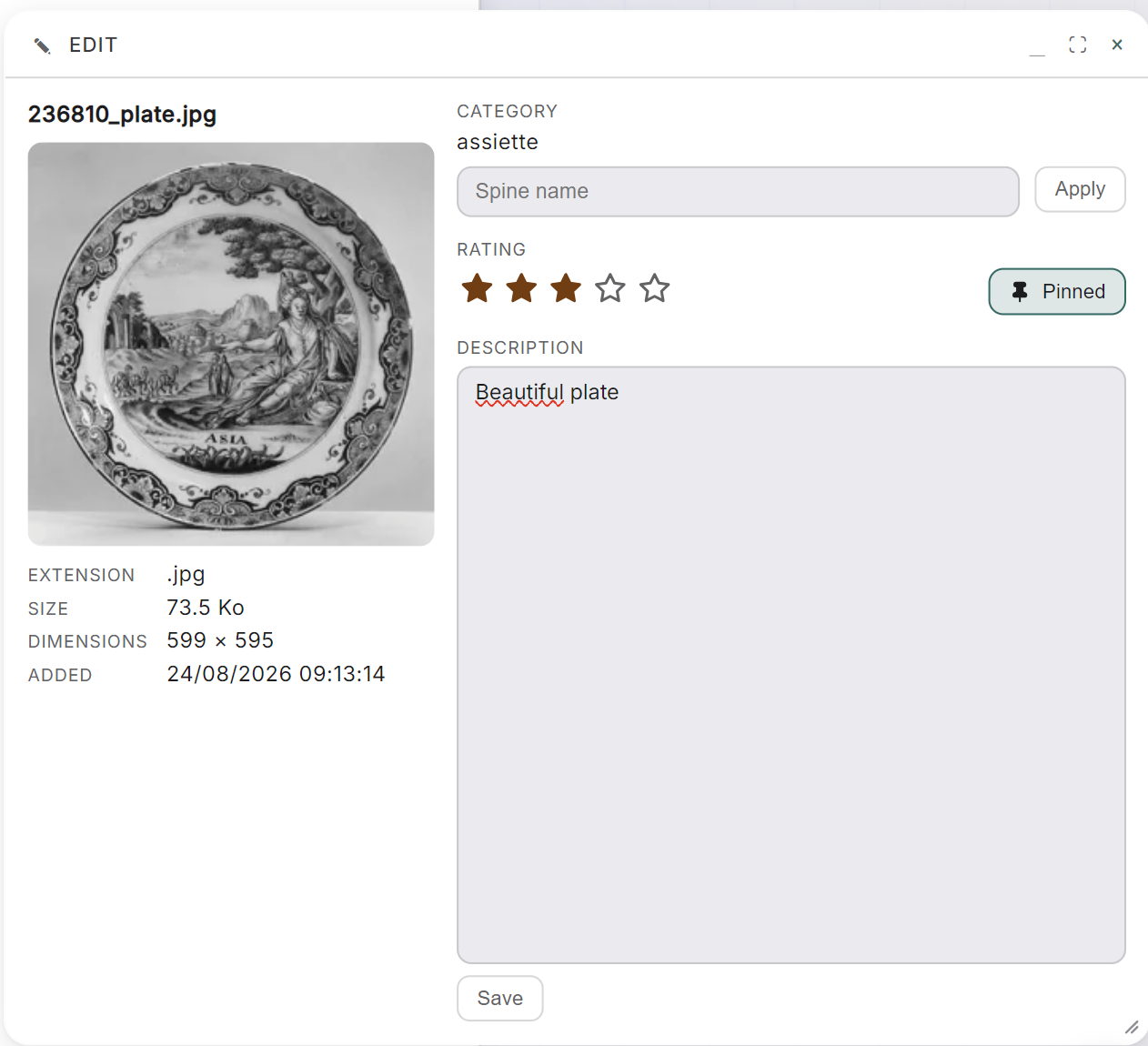
- Your own spine: type a name and Apply, and the image files where you say. A category you set yourself is yours, and the automatic pass never overwrites it. Better: the engine learns from your corrections. Rename three or four images into a category and it starts filing the lookalikes there by itself.
- Stars and pin: rate what matters, pin what must stay in sight. Both become filters upstairs.
- Description: your words, attached to the image, remembered with it.
The machine proposes an order, you correct it where it matters, and both layers survive together.